Interesting times… we’re at a point where anyone with a bit of AI experience can generate pretty realistic footage or anyone else. If you want to know if a video was made by me, well there’s a 35 year old solution to the rescue.
Here, I’ll detail how you can verify content made by me, and provide some instructions for any creators who want to give themselves a bit of forgery protection in the same way.
UPDATE: Chrome Extension to verify authenticity
After getting some feedback that this was pretty complicated for the average viewer, I’ve put up a Chrome extension, Sig Scout, that lets you know what you’re looking at isn’t some forgery deep fake, right in your browser
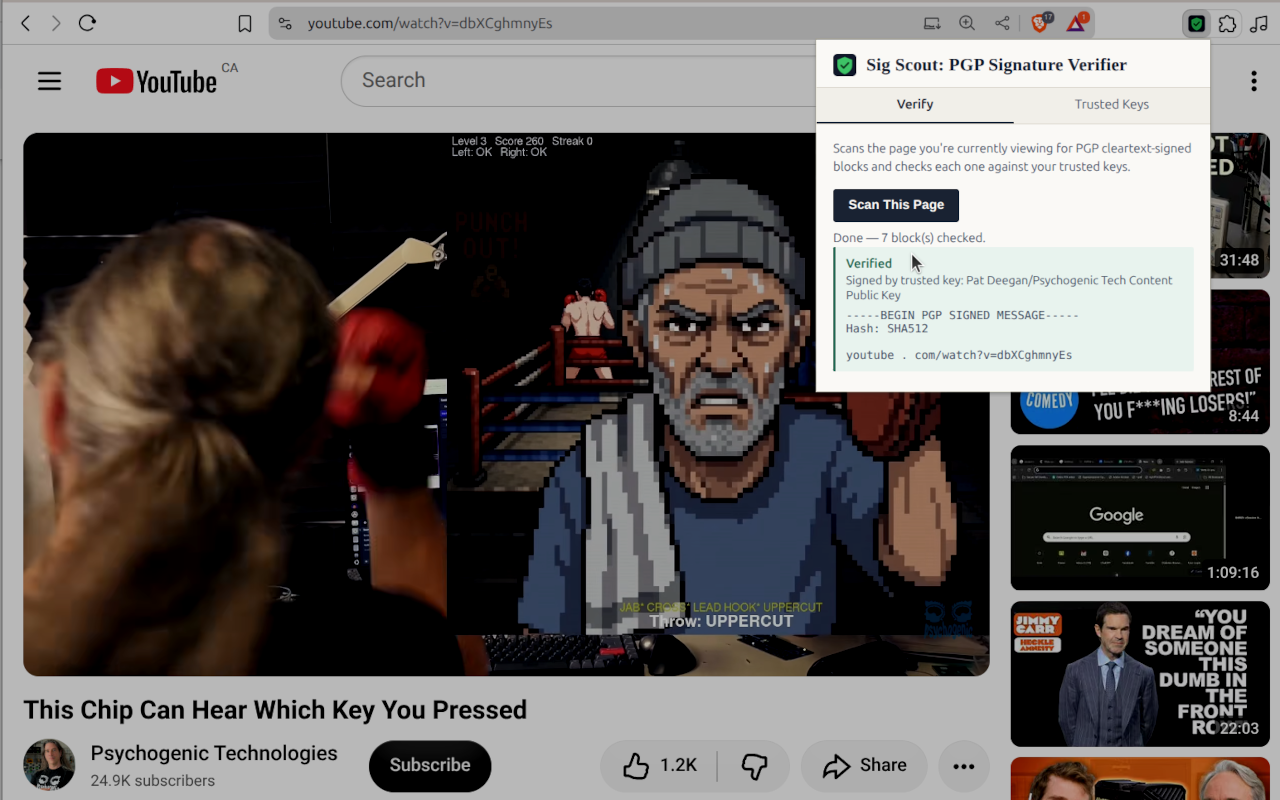
It’s still very beta, but it works. it is now in the WebStore for Chrome (or Brave and maybe some other derivative) you can install it yourself from source, here.
How the extension works
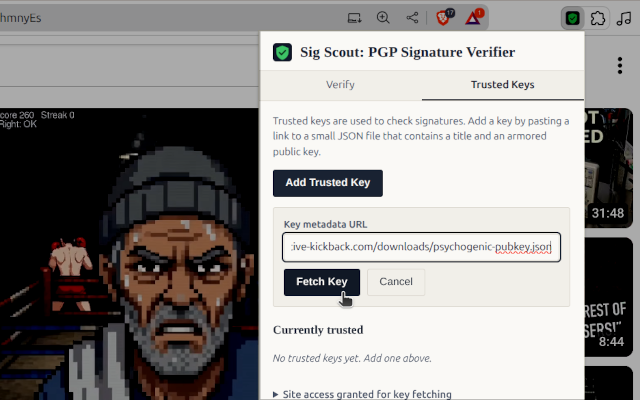
Once installed, your favorite creator will point you to some URL, like https://inductive-kickback.com/downloads/psychogenic-pubkey.json, for their key.
You paste that into the plugin to fetch it:
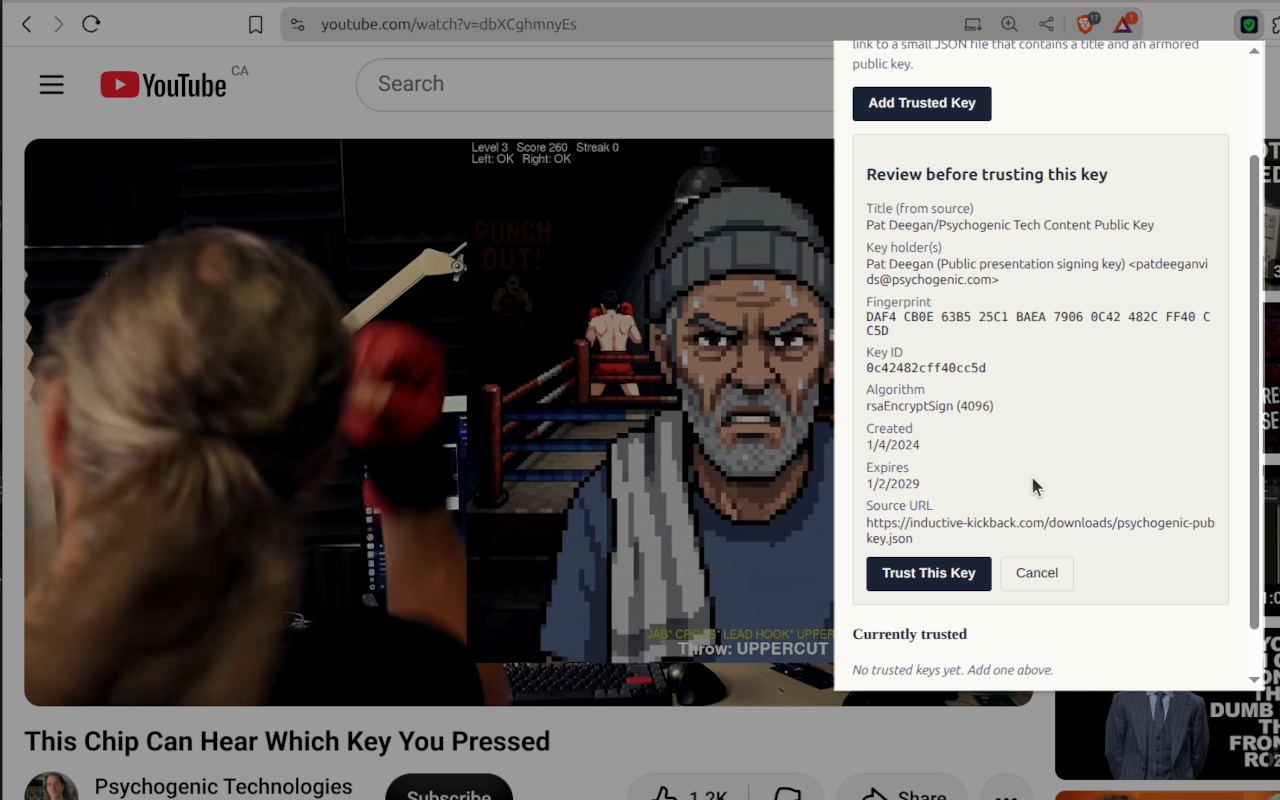
Verify that it looks like what you expect (e.g. my key has a fingerprint of “DAF4 CB0E 63B5 25C1 BAEA 7906 0C42 482C FF40 CC5D” which you can see in the window)
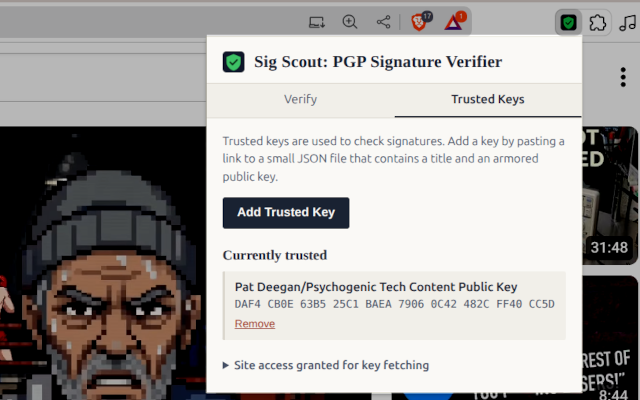
and from there, it’s in your list of trusted keys.
From then on, you can visit any signed content, like this video, or this one, and simply hit Verify -> Scan This Page on any page with a signature and it’ll try and see if it’s valid.
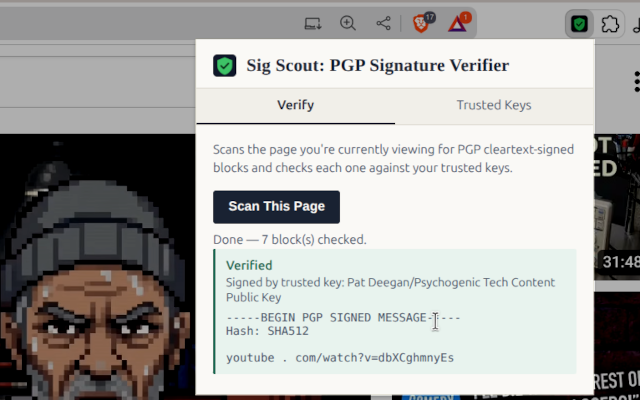
That only tells you the signature is valid though, it could have been lifted from another page. So your job is to look at the contents that were signed and that they match the current page you are on. But that’s it!
Manual Method
If you don’t have the browser plugin or just like doing things old school, you can do all this with any PGP program, like Gpg4win or GNU Privacy Guard.
Public key cryptography, namely OpenPGP , lets us generate key pairs–one public and one private–that may be used to have private conversations and/or authenticate that any digital content actually comes from the person with the private key.
I have published a public key which you can dowload there or here and use to verify anything I sign with the corresponding private key.
The idea is that, using this, you can verify that a video (or anything else I sign) really comes from me. What it cannot do is prove the video is real or that I didn’t use AI.
So, the signature only shows that I’m saying this is my content. For the rest, you either trust me or you don’t, but if it’s used like this you can at least know that it’s not some 3rd party forgery.
The crypto verifies the key, only you can verify that it’s mine (ideally by meeting up in person, like at the next Hackaday Supercon).
The TLDR mental model
With PGP:
- the private key: is held by one person, and used to encrypt or sign stuff going out
- the public key: is distributed to anyone, and used to encrypt things destined for the private key holder, and to verify signatures
- the signature is a receipt over a specific bunch of bits. Change one bit of the file and the receipt fails.
So the signature is like the wax seal on a letter. The wax doesn’t prove the lette is true, only that a particular stamp is untouched.
What you need
Three ingredients:
1) A program to do the crypto
For Windows, Gpg4win/Kleopatra seems good. GNU Privacy Guard for Mac and Linux, though there’s also a KDE app if you like GUIs.
2) The public key you want to use to verify
Mine can be downloaded here.
With gpg, you would then do the following.
gpg --import patdeegan-pubkey.ascThen you can do
gpg --fingerprint "Pat Deegan"
Mine should be:
DAF4 CB0E 63B5 25C1 BAEA 7906 0C42 482C FF40 CC5D
Or just
gpg --fingerprint
to list the fingerprints of all keys present
Finally, to verify it, you can just run
gpg --verifyand paste in the complete signature block, from “—–BEGIN PGP SIGNED MESSAGE—–” to “—–END PGP SIGNATURE—–“
Press Ctrl-D to indicate you’ve finished pasting, or just save the whole signed message to a file and run

gpg --verify /tmp/signed.txt
You may get a message that the “key is not certified with a trusted signature”. If you want to mark it as trusted, you’ll need a key-pair of your own.
Do:
gpg --generate-keyfollow the directions, selecting the options as you please. Usually, default is good enough.
Then, tell gpg to locally sign the key with my fingerprint
gpg --lsign-key DAF4CB0E63B525C1BAEA79060C42482CFF40CC5DFor Creators
If you create content and would like to do the let users check that this is really from you, it’s pretty simple.
You’ll need to do a bit more work than people just verifying your content: you need to create signatures.
To do so, you use the same program as described above, to generate some keys if you don’t already have them. My advice is to keep the number of bits pretty high (quantum will destroy all cryptoooooo) and a sane, but not too early, expiration.
It’s probably a good idea to back up your private key, or the entire keyring, somewhere safe. If you lose it, that’s the end of signing things with that key.
To support the Sig Scout Extension
If you want to support audience who are using the browser extension, you’ll need to put a JSON file with the key/metadata somewhere. I’ve created a simple generator to let you create this JSON file.
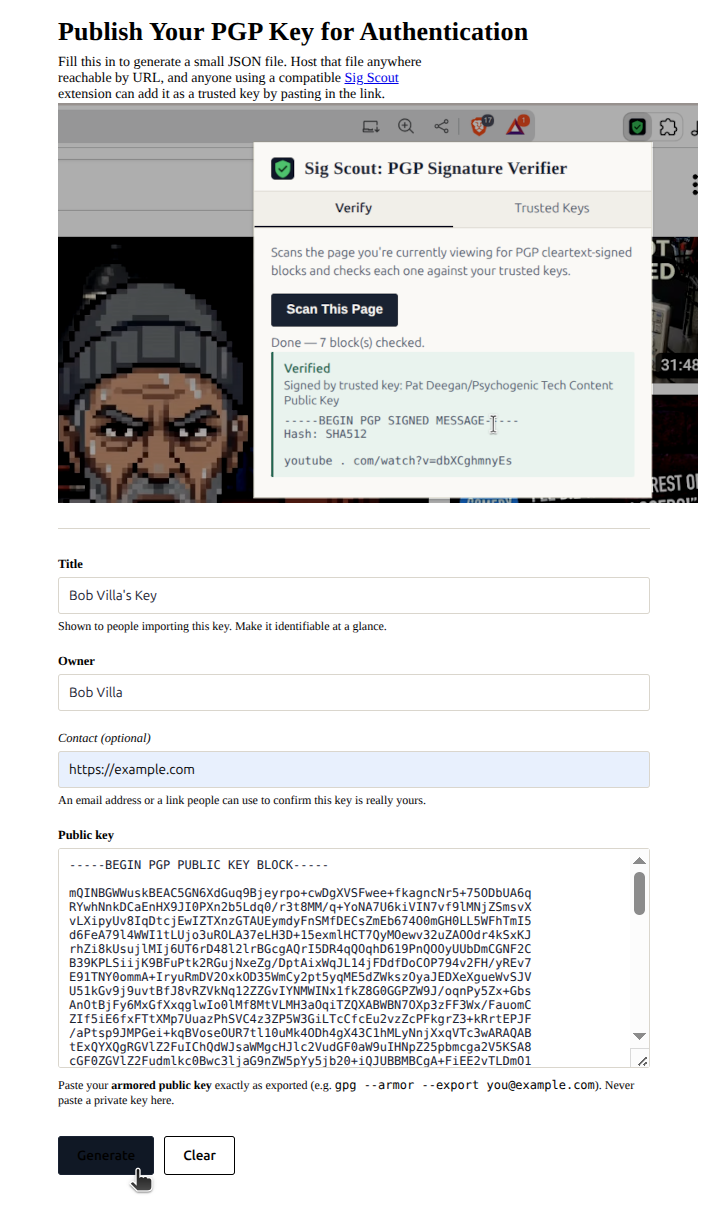
You export your public key:
gpg –output /path/to/exportedfile.asc –armor \
–export yourIDemail@example.com
and just paste the contents of exportedfile.asc into the form, and it will let you download the JSON file. From there, put it up as-is anywhere online that you control and point your audience to it.
Supporting “Manual Mode”
The “armor” option was to have it spit out an ascii representation of the public key. You can also distribute this ascii version of the public key for anyone using PGP manually, rather than the browser extension. Just put it somewhere you control, and point the audience to this file, specifying the fingerprint so they can know they’ve downloaded the correct key.
Signing Content
To sign stuff for authentication, if your content is text or some other digital format you will be sharing, then save the file exactly as you’ll be distributing and run
gpg -u 'yourIDemail@example.com' --clearsign /path/to/fileFor something like a video on youtube, a couple of notes: first, the digital content is viewed rather than distributed and anyway it’s all munged by optimization. So my technique is to include at least some part of the spoken contents and the URL (because otherwise, the end of the video or anything you didn’t include in the sig could be changed).
That should be enough but youtube is annoying in 2 ways:
1) any links to youtube are shortened and converted to something else; and
2) the “—–” around the BEGIN and END sections are munged: one of them is eaten up by stupid strike-through that you can’t turn off.
So what I’m doing is breaking up the URL into something still usable
youtube . com/watch?v=ihiDrIOV9uc
rather than https://www.youtube.com/watch?v=ihiDrIOV9uc
What I do is simply take the contents I want to sign, e.g.
youtube . com/watch?v=dbXCghmnyEs

This is wireless.  But it's not bluetooth: the keyboard isn't powered at all
And feed that to gpg without including a file path argument:
gpg -u 'yourIDemail@example.com' --clearsign just pasting in the URL and sentence. What comes out is the same block of content, but wrapped in a PGP signed message header (selected, in white, here):
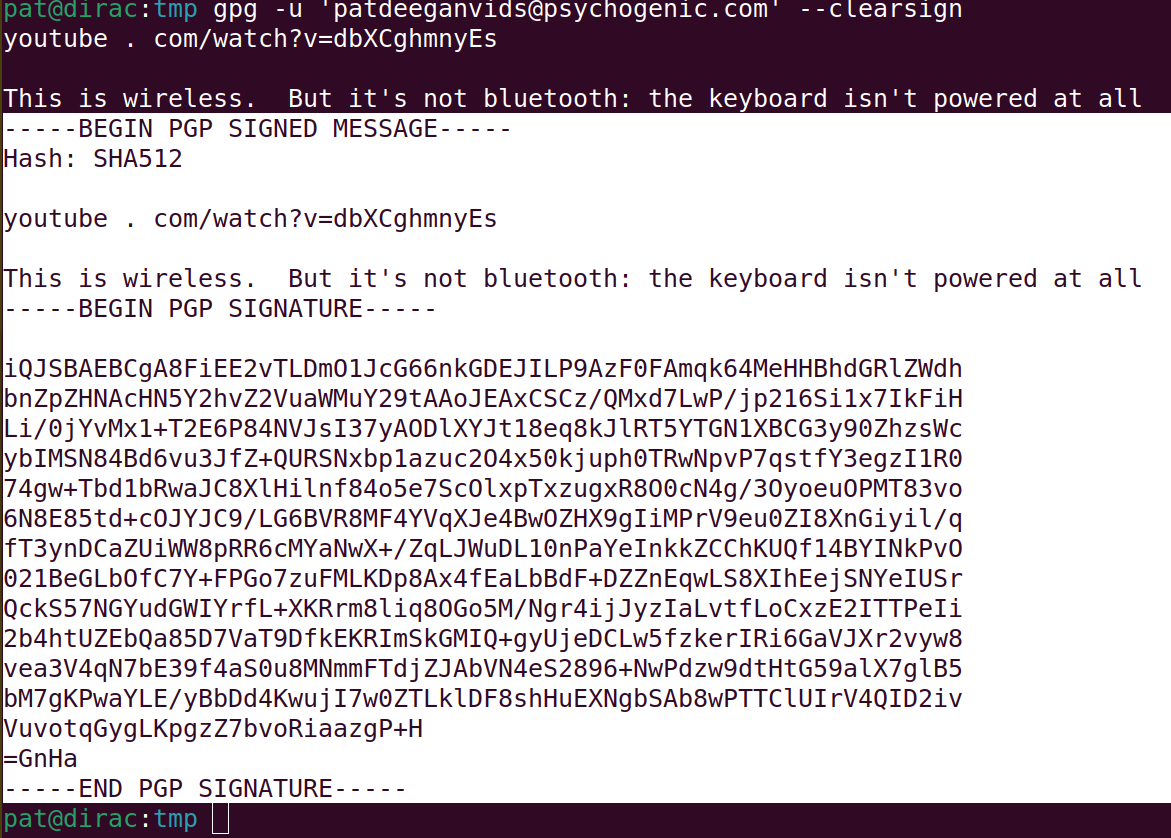
then I add an extra “-” to the six places where there are “—–” before pasting into the video description, so that, when people copy, they still have the right number in the buffer.
The browser extension can handle this extra “-” and will just replace anything more than 5 in a row with the standard “—–” for verification.
Go through the entire sequence:
- sign a message
- copy the entire PGP signature block
- paste into the video description on youtube
- add in an extra “-” to every BEGIN/END string of dashes (yeah, I know it’s dumb)
- save the changes
- view the video description on youtube, and copy the whole block from the public page
- confirm you can actually –verify it
And that’s it, if that all worked you are now forgery proof, for those who bother to look.